
Getting Into Drinkware: How to Start & Scale Laser-Engraved Tumblers
If you already decorate apparel or sell promotional products, laser-engraved drinkware is often considered the most natural path of expansion. The blanks are easy to source, the demand is high, and a powder-coated tumbler design won’t peel off like a print might. It’s likely that your current clients are already in need of this service, so why not look further into doing it yourself?
The good news is that getting started is not such a crazy leap as you may expect. Shops tend to work down the same path: start with small custom orders, then scale as the volume grows, and eventually get to a point of automation with order flow. We’ll take a look at the stages you should be familiar with, and how you need to get there.
Starting Out: What You Need
The basic setup for tumbler engraving is pretty simple, not much is needed:
- A CO₂ Laser
- A computer with design software that you already use (Adobe Illustrator, CorelDRAW, etc.)
- Some sort of exhaust system for the smoke (filtration, blower)
- A rotary attachment if you’re looking for a full wrap or multi-sided engraving (optional)
Two Ways to Engrave: Flatbed vs Galvo
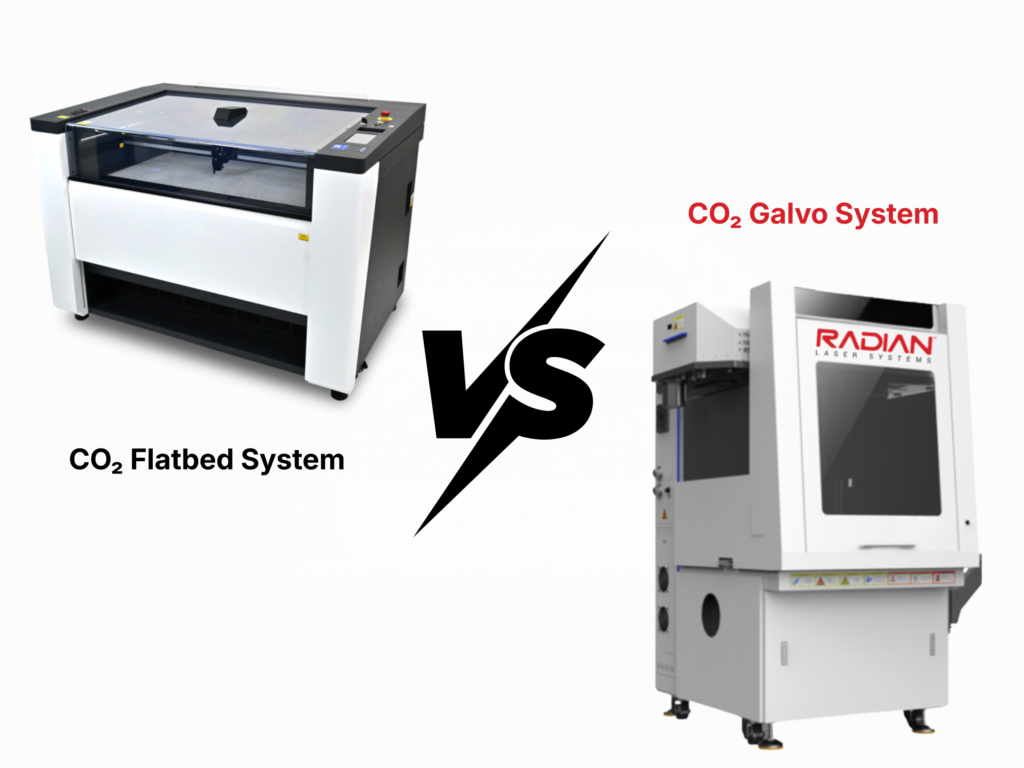
As you grow in your engraving efforts, deciding between which kind of CO₂ system becomes pivotal to your cost production. Although they are the same kind of laser source, they move the beam differently, leading to a significant difference in output.
A flatbed laser moves its head back and forth on a gantry, building the image line by line. It’s flexible and better used for one-offs and short runs, making it the go to for those starting with a smaller number of jobs.
A galvo laser keeps the head still and uses small, fast mirrors to steer the beam. With far less mechanical travel, it completes the job in a fraction of the time of a flatbed. The gap in speed makes it a preferred choice for shops that make it a focal point of production instead of a side offering.
Galvo systems also come with 3D marking capability, meaning it can engrave across curved surfaces without additional tools.
Scaling Up: Knowing the Capacity of Each Machine
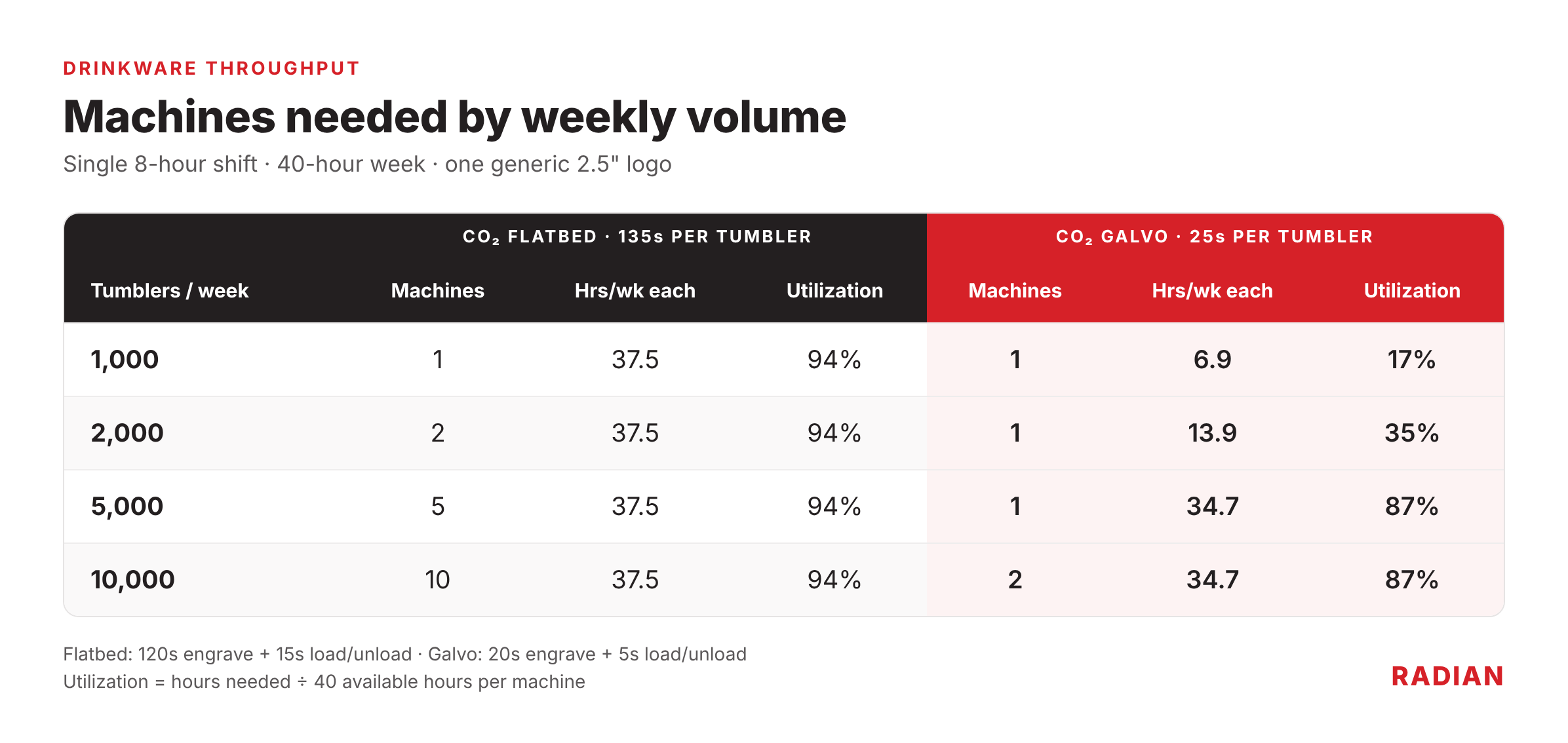
When it comes to high volume galvo really shines, as one
galvo-based machine can output volumes over the course of a week equivalent to
five flatbeds.
Let’s Compare the Two Technologies –
For this example, we’ll compare engraving a generic
2.5″ logo on one side, using a high-speed CO₂ flatbed versus a CO₂ galvo.
Automating: Connect Your Online Store to the Laser
If you sell personalized drinkware through an online store, the slowest part of the job isn’t usually the engraving, but the prep and handling of the images and logos onto the laser software.
Radian’s API Server sits between your order system and the laser. Your system sends each order’s data, and the API Server turns it into a ready-to-run laser job. No building files by hand, no retyping, and far fewer data-entry errors.
Where Does Your Shop Fit?
Start with your expected weekly volume, then work backward.
- Under 1,000 tumblers a week, mostly custom work: A CO2 flatbed is a practical, lower-investment way in, and it doubles as a general-purpose engraver for other products.
- 1,000 tumblers a week or more, or plans to get there: A Co2 galvo gives you headroom on a single machine instead of a growing row of flatbeds.
- Selling personalized drinkware online: Pair a galvo system with the API so orders flow straight from your store to the laser.
Not sure where you land? Our team can walk through your current order mix and run sample tumblers on either system before deciding.
Contact us directly via email at sales@radianlaser.com, or www.radianlaser.com/contact
